Support
Installing, activating, and what to do when something misbehaves. If none of this covers it, email me.
Installing
One download, free or full - a licence key unlocks the rest in place. Updating is the same: run the new installer over the top. Your licence, saved references and settings are kept.
macOS
- Double-click the .pkg installer.
- Follow the instructions.
Windows
- Double-click the .exe. A blue “Windows protected your PC” screen appears.
- Click More info, then Run anyway.
- Follow the steps.
If Windows Defender removes the file instead of warning: Windows Security → Virus & threat protection → Manage settings → turn off Real-time protection, install, then turn it back on.
Activating your licence
Spanner, License, Activate
Click the spanner in the top-right corner of the plugin, choose License, paste your key and press Activate.
A licence covers 2 machines; press Deactivate on one you no longer use to free the slot. Activating needs an internet connection. After that the plugin checks in quietly in the background, and keeps working for up to 72 hours offline.
On macOS, activating also asks for the audio permission the meters need - see Screen Recording below.
No audio on B?
B silent in the meters, no LUFS readings, no tonal balance line, or Auto-Match failing? Start here.
Repair audio access (macOS)
- In the plugin, click the spanner and choose Repair audio access. It shows whether reference audio is coming through.
- Press Reconnect. This restarts the audio helper and, if the permission is missing, asks for it again.
- Still blocked? Choose Still blocked? Reset access… and confirm. This clears Stream AB’s Screen Recording permission - and nothing else’s - so macOS asks afresh. Allow it, and press Quit & Reopen if macOS offers.
- Select B and play a reference. The status should read “Connected. Receiving reference audio.”
If that still doesn’t bring it back, work through the Screen Recording permission below in detail.
On Windows there is no permission involved. Make sure the reference is actually playing and audible, then close and reopen the plugin window.
The macOS permissions
Up to three kinds of prompt, each once, full version only. Windows asks for nothing.
None of them affect A/B switching or the gain trim - denying one only costs you the feature it is for.
Controlling Spotify and Music
macOS asks whether an app may control Spotify, and again for Music. Allow both - that is what shows the track name, artwork and scrub bar. Some DAWs, like Ableton Live, ask in their own name; in others a small bundled helper, Stream AB Helper, asks instead. Same permission either way.
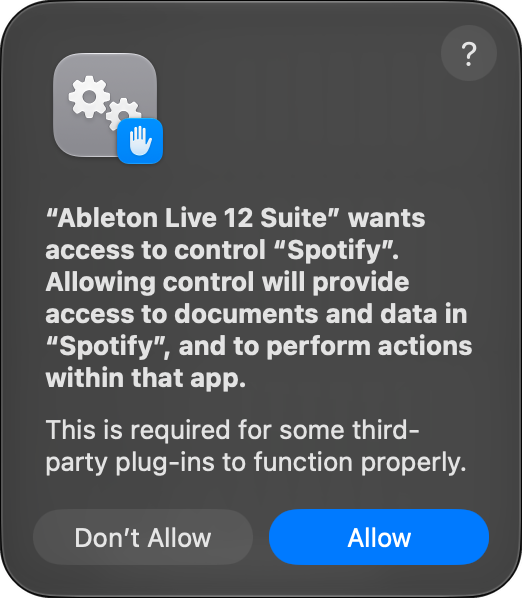
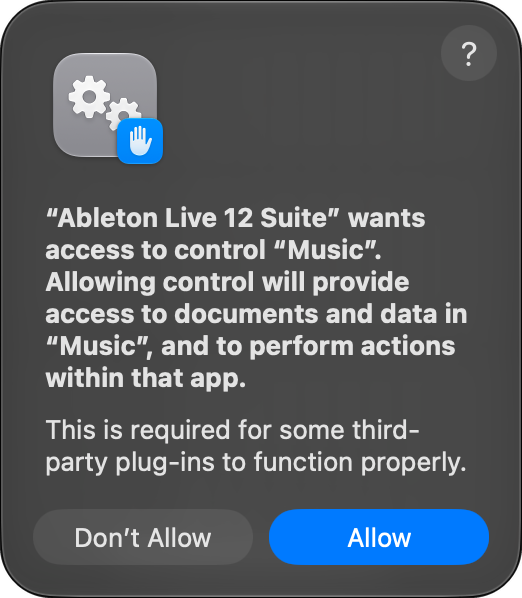
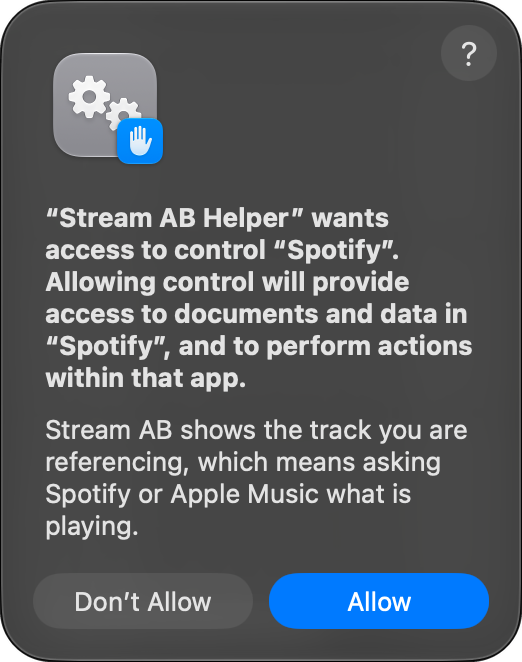
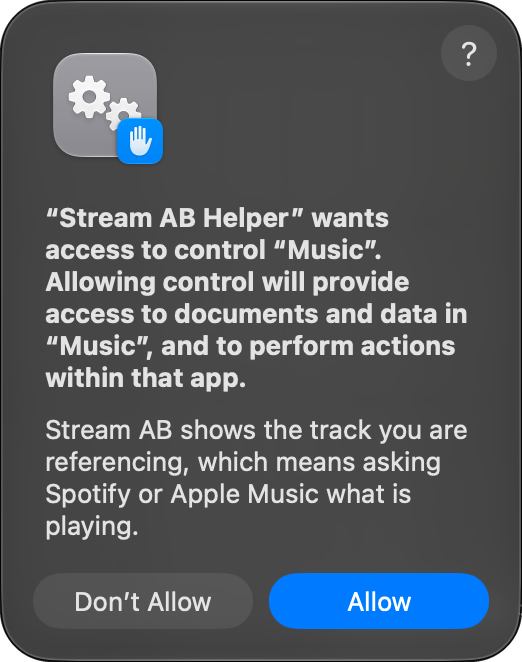
Dismissed one? Re-enable it at System Settings → Privacy & Security → Automation, under your DAW or “Stream AB Helper”.
Screen Recording, for the reference audio
Measuring the reference means capturing system audio, and macOS keeps system-audio capture behind the Screen Recording permission - there is no audio-only permission to ask for instead. Nothing is recorded and no screen is read. The helper takes audio only and produces numbers; nothing is stored or sent anywhere.
The prompt comes from Stream AB Audio Helper, once, when you activate your licence. Needs macOS 13 or later.
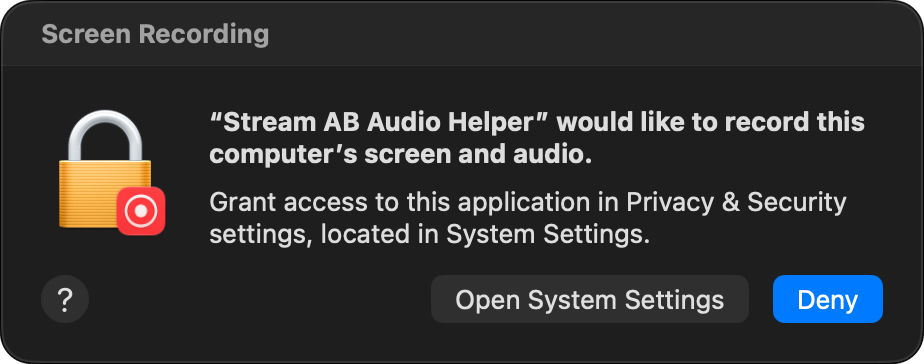

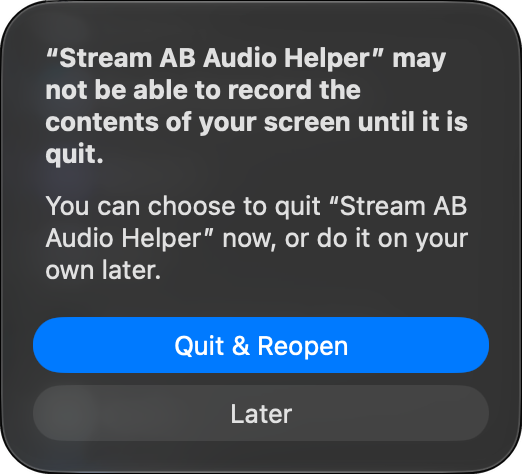
Quit & Reopen is normal: a new grant only applies to a freshly started helper. It doesn’t touch your DAW, and “Later” works too - the helper restarts itself shortly.
Never saw a prompt? It may have opened behind your DAW window - minimise the DAW and look. Or switch Stream AB Audio Helper on yourself at System Settings → Privacy & Security → Screen & System Audio Recording, then use Repair audio access.
On macOS 26 the prompt is worded more alarmingly - “bypass the system private window picker”. It is the same permission: a request for system audio has no window to pick, so macOS describes the widest thing that permission could cover. The helper still takes audio only.
Device Control and Data Access
To play the exact song you picked in Apple Music or TIDAL, the plugin selects it inside that app for you, which macOS only allows with this permission. It is asked for in your DAW’s name, the first time you play an Apple Music or TIDAL result. Before macOS 27 it is called Accessibility.
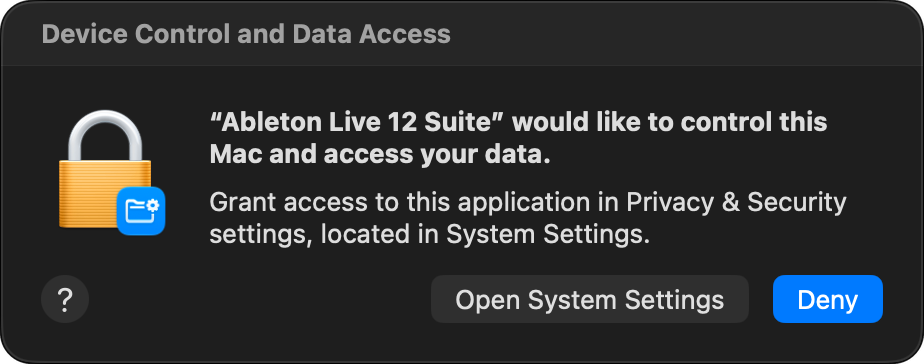
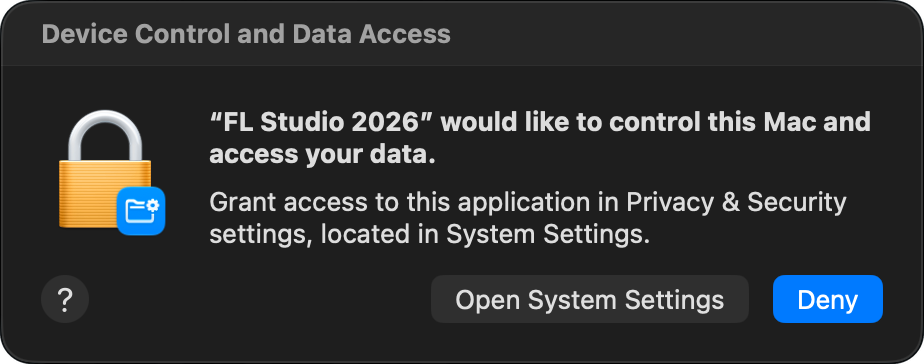
Click Open System Settings, switch your DAW on under Privacy & Security → Device Control and Data Access (or Accessibility), then go back to the plugin and select the song again. Spotify and YouTube never need it.
Search problems
When a search result doesn't play the way it should.
Nothing plays, or it says to install the app
Search hands the song to that service’s desktop app - Spotify, Music or TIDAL - or to your browser for YouTube. The app needs to be installed and signed in. Apple Music and TIDAL also need a subscription of their own to play full songs.
Apple Music or TIDAL opens but doesn't play (macOS)
To pick the exact song in those apps, your DAW needs the Device Control and Data Access permission (called Accessibility before macOS 27). Allow it, then select the song again from search.
“Search unavailable”, “No connection” or “Search limit reached”
Search runs through the internet and needs an activated licence. Check your connection and try again. If you hit the limit, wait the few seconds it tells you - it resets quickly.
It played a different version of the song
Services often list several versions - remasters, live takes, edits. Pick the exact result you want from the list; the plugin plays that one, not the closest match.
“Playback is busy” or “Selection changed”
A newer selection took over while the last one was still starting. Wait a moment and pick the song again.
Save asks “Where is this audio playing from?”
It could not tell which service is playing - common with a browser tab. Choose the service and it will find the song there to save it.
Compatibility
macOS
- macOS 13 or later
- Intel and Apple silicon
- AU, VST3 and native AAX
- Tested: Pro Tools, Logic Pro, Ableton Live, FL Studio, Cubase, Reaper, GarageBand
Windows
- Windows 10 (1809) or later, 64-bit
- VST3 and native AAX (AAX not yet tested in Pro Tools)
- Tested: FL Studio, Ableton Live, Reason, Cubase, Reaper
A/B, play, pause, skip and gain matching work everywhere, with every source. What varies is the track display and the meters.
On Windows both are uniform - the OS publishes a media API browsers report to, and audio loopback is built in.
On macOS, Apple restricted now-playing information in 15.4. Stream AB works around it and currently shows everything, everywhere tested. If a future update closes the route, the display narrows to Spotify and Apple Music - the switching is untouched, and the meters keep working since they measure audio rather than reading track data.
Whether a source honours a seek is up to that app - a browser tab’s scrub support depends on the page.
Pro Tools
macOS
Native AAX, included in the installer alongside AU and VST3. Tested and confirmed working in Pro Tools.
Windows
Native AAX, included alongside VST3, built and signed the same way. It should work fine but has not been tested in Pro Tools on Windows yet - if you run into anything, tell me.
No wrapper needed, and your Stream AB licence works as normal - there is no separate iLok licence.
Questions
Still stuck
Email support@stream-ab.com. Your OS version, your DAW and what you were playing gets to an answer fastest.