How to reference your mix against Spotify (without downloading the track)
By Conor · 27 October 2026 · 6 min read
Referencing is the fastest way to find out what's wrong with a mix. You put a finished, released track you love next to yours, switch between them, and the problems you've gone deaf to after six hours jump straight out: the low end is woolly, the vocal is buried, the top is harsh.
The usual advice is to buy or download the reference as a WAV and drag it into your session. That works, but most of the music you'd want to compare against is already sitting in Spotify. So this guide is about referencing against Spotify directly: what to set up, the ways to do it, and the one step that most people skip and that quietly ruins the comparison.
Quick disclosure: I make a plugin, Stream AB, that does this inside your DAW. I'll mention it where it fits, but everything below works without it.
First, fix three Spotify settings
Spotify changes the sound of what it plays by default. Before you trust anything you hear from it, check these in Spotify's settings:
- Streaming quality. Set it to the highest your account allows: Very High, or Lossless if your plan has it. The lower settings throw away top-end detail, which is exactly what you're trying to judge.
- Equaliser. Turn it off. If it's on, you're comparing your mix to Spotify's EQ curve, not to the master.
- Crossfade and Automix. Turn them off too, so tracks start and end the way they were mastered.
Then there's Normalize volume, which needs a bit more thought.
What loudness normalisation does to your reference
With Normalize volume on, Spotify turns every track to roughly the same loudness, about −14 LUFS on the default "Normal" level. A modern pop master is usually louder than that, so Spotify turns it down, often by several dB.
That's not a problem for referencing. Honestly, it's closer to how your listeners will hear the track. What matters is that you know it's happening, because it means the reference won't play at the level it was mastered at. You'll be setting the levels yourself anyway (more on that below), so you can leave normalisation on or off. Just pick one and stick with it for the whole session.
Three ways to A/B against Spotify
1. Switch by hand
The simplest version: play your mix in the DAW, pause it, press play in Spotify, listen, pause, go back.
It costs nothing and needs no setup, but it's slow. Every switch takes a few seconds of clicking between windows, and your memory of exact tone fades in about that time. By the time the reference is playing, you're comparing it with what you think your mix sounded like. Fine for a rough check of overall balance; not good for decisions about 1 dB here or there.
2. Route Spotify into your DAW
The proper way is to get Spotify's audio onto its own track in your session, so you can switch with a mute button:
- On a Mac, install a virtual audio device such as BlackHole (free) or Loopback (paid). Send Spotify's output to it, and set it up as an input in your DAW. You'll usually need an aggregate device in Audio MIDI Setup so your DAW can use the virtual device and your interface at the same time.
- On Windows, install VB-Cable, then go to Settings → System → Sound → Volume mixer and set Spotify's output to the cable. Add the cable as an input in your DAW.
Then create a track with that input, turn on input monitoring, and route it straight to your outputs, not through your master bus. Otherwise your mastering chain colours the reference too, which defeats the point. To switch, mute one and unmute the other.
This works well once it's set up. The catch is the setting up: aggregate devices, latency, sample-rate mismatches, and remembering to undo it all before you watch YouTube.
3. Use a plugin that switches for you
This is the gap I built Stream AB to fill. You put it on your master; one button mutes your mix and starts whatever is playing in Spotify (or Apple Music, TIDAL, or a browser tab), and the same button switches back and pauses it. Nothing gets routed through the DAW, so there's nothing to set up and the reference never touches your master chain. The free version does the switching and a gain trim for level matching.
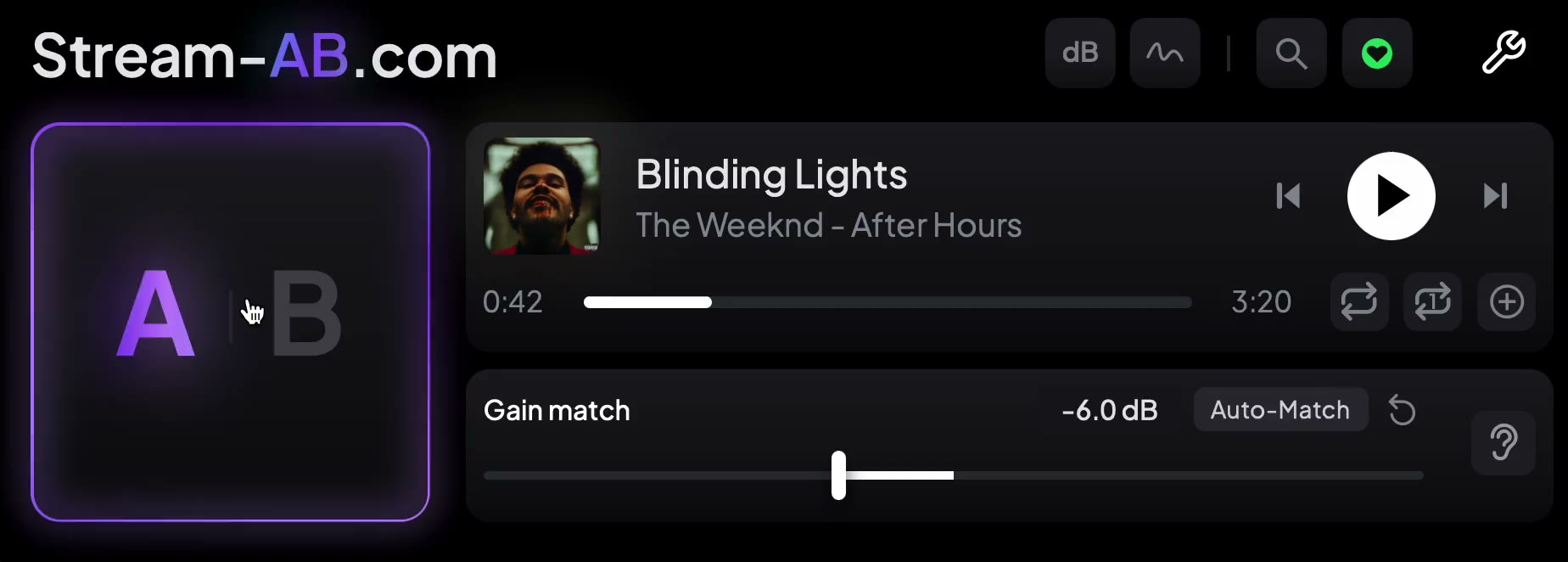 A is your mix, B is whatever's playing. One click switches, and the reference starts and stops with it.
Whichever way you do it, the next step is what decides whether the comparison means anything.
Level-match, or the comparison is lying to you
Louder sounds better. Play two identical tracks 1 dB apart and almost everyone picks the louder one as fuller, brighter and punchier. So if your reference is louder than your mix, you'll "fix" your mix towards it by adding low end, top end and compression it doesn't need.
Before you compare anything, make the two sound equally loud:
- Loop a section of the reference that's similar in energy to the part of your mix you're working on, chorus against chorus, not chorus against intro.
- Turn down whichever is louder. Usually that's the reference: turn down Spotify's own volume slider, or the fader on the routed track. Don't turn your mix up into your limiter.
- Switch quickly back and forth until neither one jumps out as louder. A loudness meter showing short-term LUFS gets you close; your ears do the last half dB.
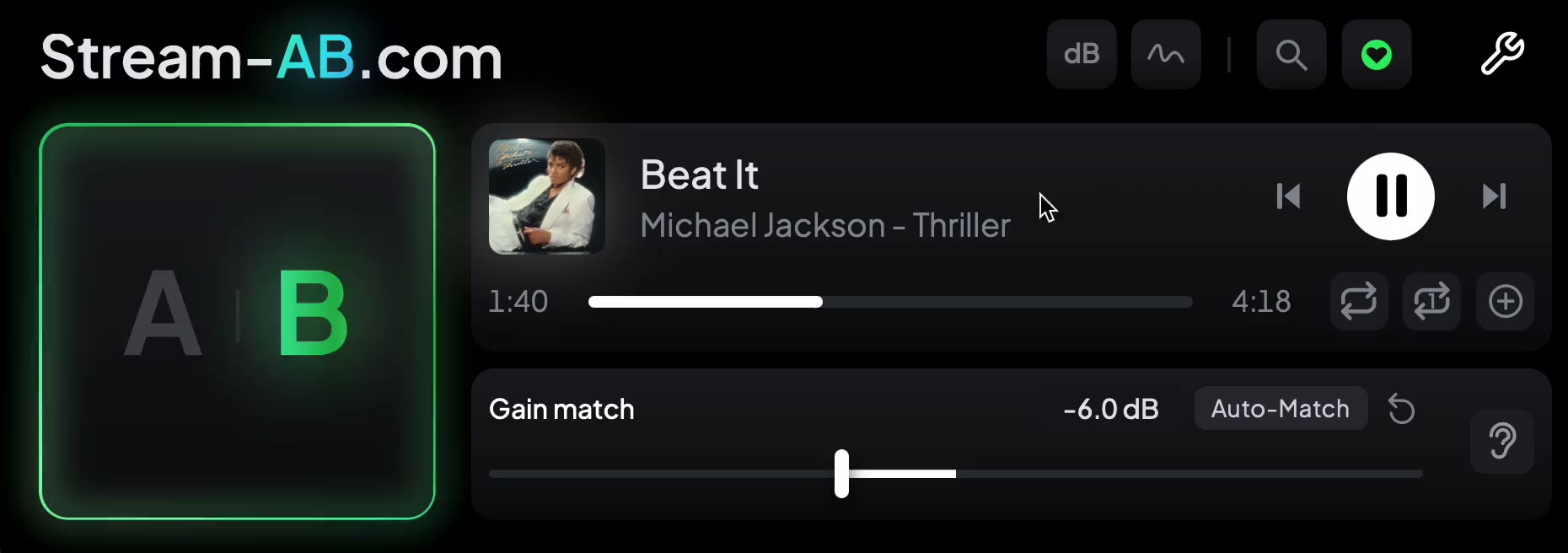 Turn the louder side down, not the quieter one up. Here the mix is trimmed 6 dB to sit level with the reference.
If you're mixing (not mastering yet), your mix will sound smaller and less dense than a finished master even at the same loudness. That's normal. The mastering stage adds that density. Use references to judge balance and tone, not how squashed it sounds.
What to listen for
With levels matched, switch in short bursts, a few seconds each, and listen for one thing at a time:
- Low end. Is the kick or the bass on top? How much space is there below 100 Hz? This is where most home mixes differ most from references, usually because of the room.
- Vocal level. Does the vocal sit as far forward as in the reference? This is the most common problem referencing catches.
- Brightness. Is your top end duller, or harsher, than the reference? Listen to cymbals and the "s" sounds in the vocal.
- Width. Do the wide elements feel as wide? Does the centre feel as solid?
- Punch. When the drums hit, does your mix move the way the reference does, or is it flatter?
Use two or three references rather than one. Any single track has its own quirks; what they have in common is what your genre actually sounds like.
A quick checklist
- Spotify set to its highest quality, with the EQ, crossfade and Automix off
- Normalisation on or off, but the same all session
- Reference playing outside your master chain
- Levels matched by ear, on matching sections
- Short switches, one thing at a time, two or three references
Referencing feels slow the first few times. Once it's part of the routine, it's the most reliable way I know to stop a mix drifting somewhere strange after a long session.